Setting up your SocialLead account
Getting Started
Get your login information and create your password to access your dashboard
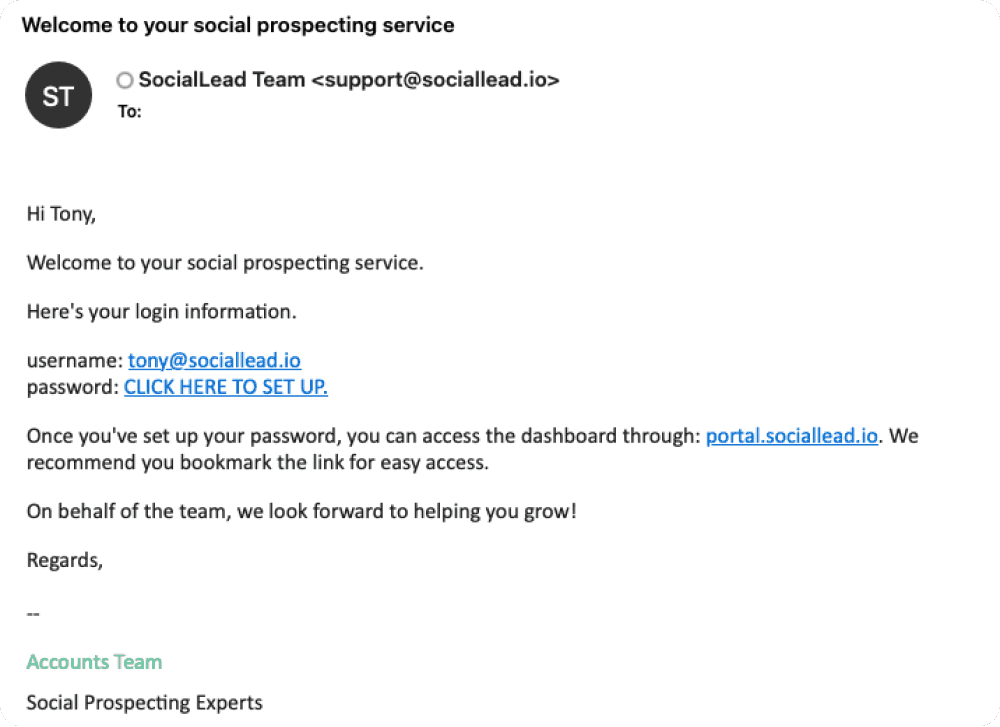
When you first get set up on SocialLead, you will receive an email so you can see your username and set up your password. Note that the email you used to sign up for SocialLead is your username.
You must set up your password before getting access to your SocialLead dashboard.
Set up your password
Click the link in the email that says CLICK HERE TO SET UP
You will be redirected to a page to create a password. Type and re-enter your password in this form
Click Set password
From here, you can now log in and access your SocialLead dashboard at portal.sociallead.io.
Sample Setup Email
Next Steps: Once you've set up your account and are on the SocialLead Dashboard, make sure you set your region/proxy setting and connect your account.
