How do I stop the automated messages?
Managing Your Inbox
How to remove a prospect from your campaign.
If you don't want a lead to receive your campaign messages, you can use the Stop Automation feature to remove them from the queue. Kindly note that the ability to prevent messages from being sent from the outbox is currently a feature request under consideration. While we are actively exploring the possibility of implementing this feature, we currently do not have a specific timeframe for its availability.
Here are four ways in which you can stop the automated messages from going to that prospect effectively.
1. Stop Automation
To halt automation for a prospect that you haven't connected yet, navigate to the Campaign's 'Search List' tab, find the prospect's name, and click on 'Stop Automation'.
If you've already established connections with your prospects, you can use either of these methods.
2. Direct Messaging
Another effective method is taking matters into your own hands. Send a connection request or direct message to the prospect. Not only does this provide a personal touch, but it also puts a stop to any automated messages from our system, giving you control over the communication process.
3. Unfriending
If you wish to halt automated messages to a particular prospect, consider unfriending. This straightforward action ensures that your automated messages won't reach them, allowing you to maintain a more targeted outreach.
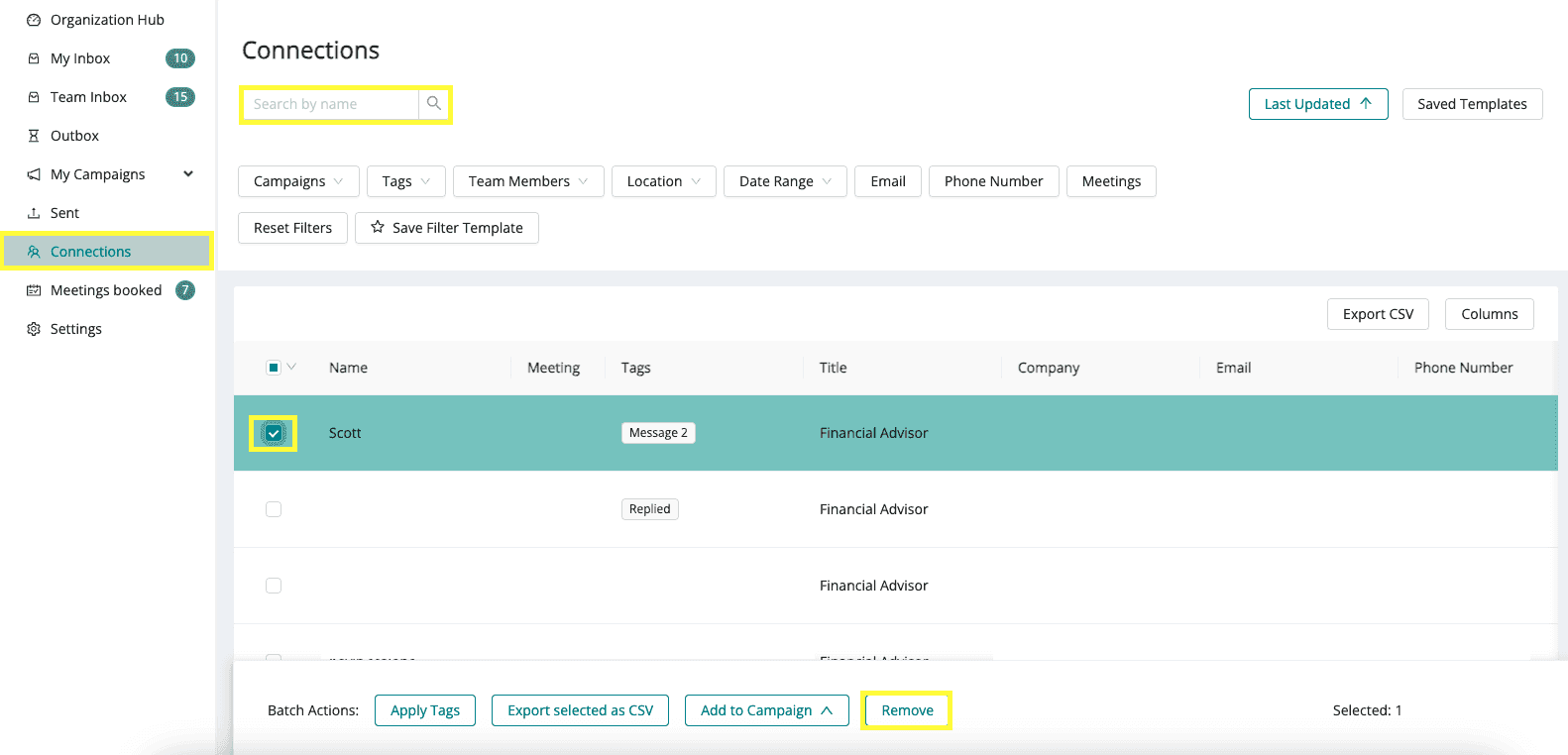
4. Remove them from the Connections Tab
Remove connections from your campaign(s) in SocialLead without removing them as a connection.
Click the Connections tab
Locate the individual (You may use the search bar if needed) and tick the small box on the left side of their name
Click the Remove button
Click "Yes" on the pop-up